Back to Projects

CogniFlow

Modern SaaS platforms force users to manually maintain workflow continuity across fragmented tools, interruptions, notifications, dashboards and task systems. As users constantly switch contexts, the responsibility of remembering unfinished work, reconstructing intent and recovering workflow state shifts from the software to the user's memory. Over time, this creates invisible cognitive debt, leading to mental fatigue, reactive work behavior, workflow fragmentation, delayed task completion, shallow feature adoption and reduced productivity.

Services
Enterprise
Role
Product Designer (End to End)
Tool
Figma
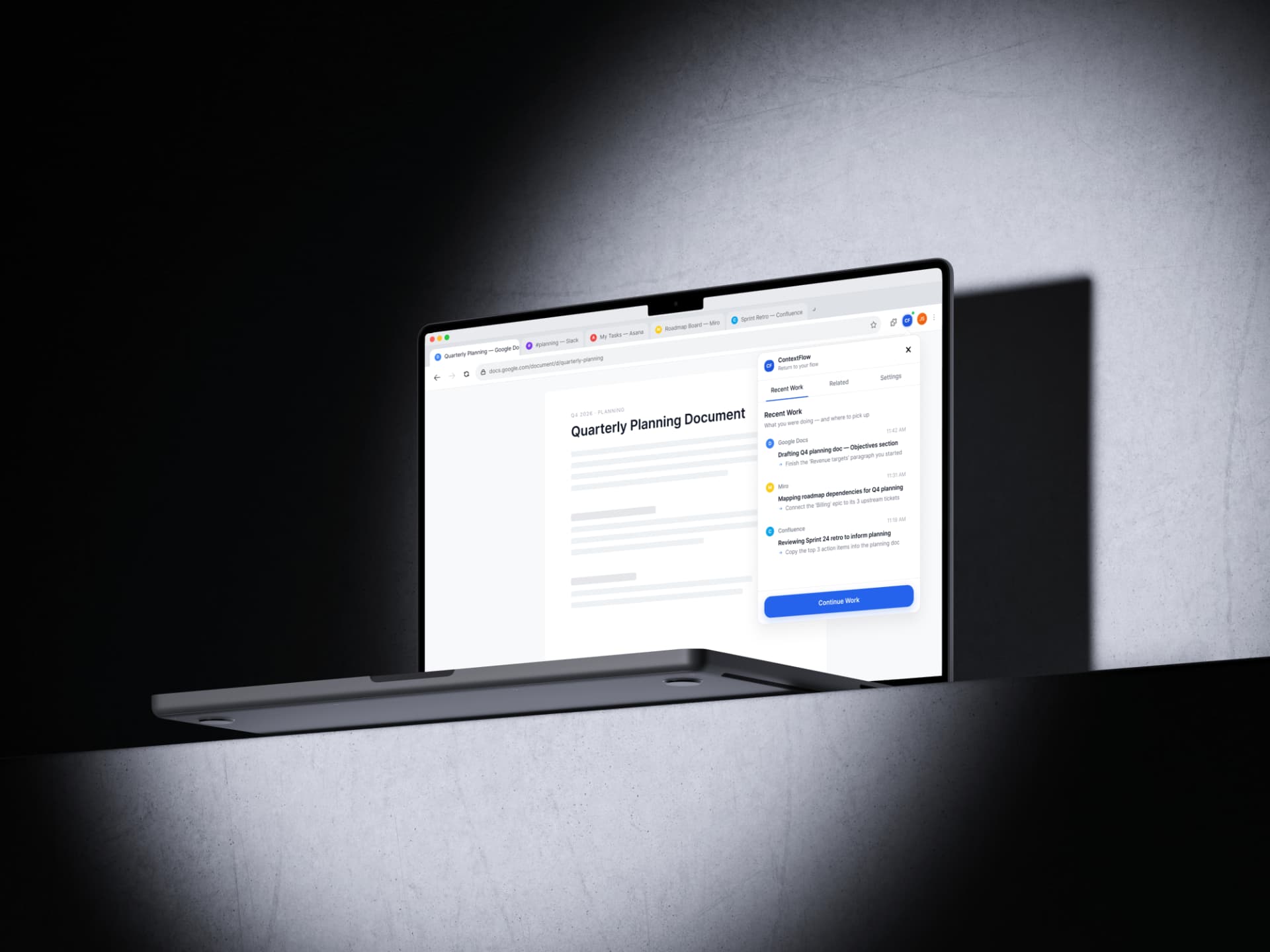
CogniFlow workflow continuity interface

{01} — Understanding the problem

Understanding the problem and framing it

  • Who exactly is this user? Role, context, environment?
  • When does this peak — time of day, type of work?
  • Which tool transition causes the most damage?
  • Is this felt pain or invisible pain? Do users know it's happening?
  • What have users already tried to solve it?
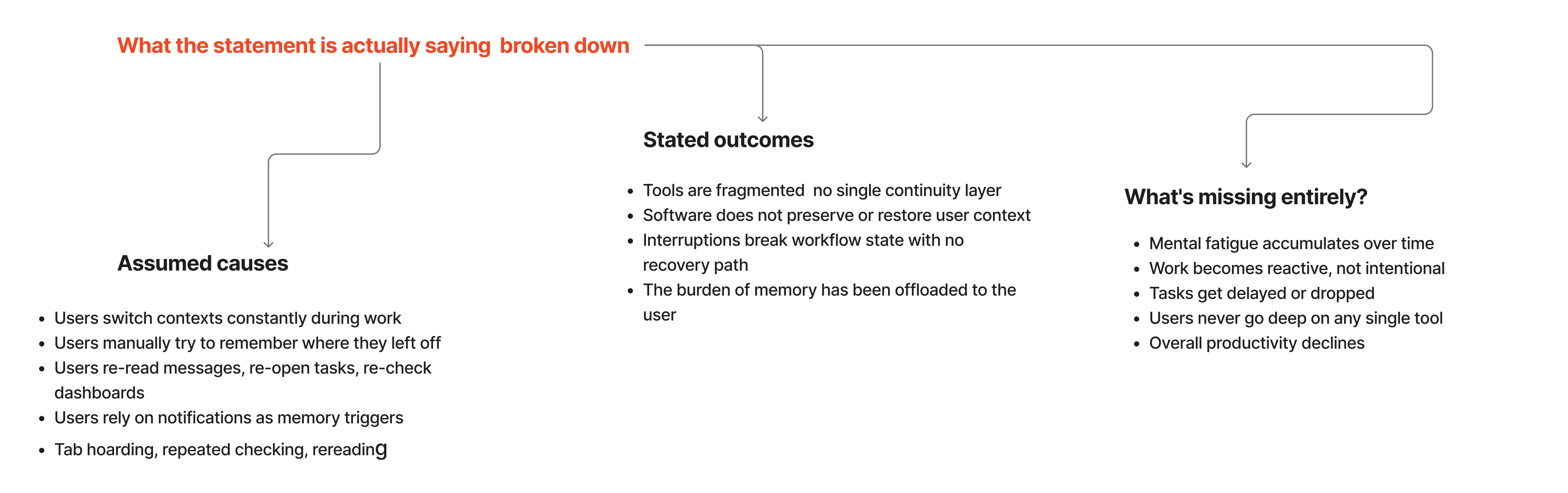
CogniFlow problem framing diagram

{02} — Cognitive debt

No system remembers what you intended to do next

When knowledge workers move between tools, no system remembers what they intended to do next. This invisible burden accumulates into cognitive debt: mental fatigue, reactive patterns and a persistent feeling of being behind.

Design principle: capture relationships, not content.

The goal was never to record what people wrote, only to remember how their work connected, so they could reconstruct it themselves in seconds.

{03} — Direction exploration

Choosing the right direction

  • Standalone SaaS

    What it offered: Dedicated workspace for saving and resuming workflows.

    Why it didn't fit: Required adopting a new platform and leaving existing tools.

  • Desktop App

    What it offered: System-level access to all user activity.

    Why it didn't fit: High installation friction and heightened privacy concerns.

  • AI Assistant

    What it offered: Chat-based recovery of interrupted work.

    Why it didn't fit: Recovery depended entirely on user input; high overhead.

  • Browser Extension

    Selected

    What it offered: Works directly inside the tools people already use.

    Why it fit: Lowest effort to adopt, most technically feasible, strongest privacy.

{04} — Research

What users told us

  • 58%

    Frequent interruption

    Users report being interrupted 'Often' or 'Very Often' during a typical day, resetting their working memory constantly.

  • 47%

    Recalling decisions

    The most frustrating part of returning to work is 'Recalling previous decisions', far outweighing finding tabs or tools.

  • 42%

    Context drain

    A plurality of users spend 3–5 minutes regaining context after every single interruption, accumulating significant cognitive debt.

  • 79%

    High value

    Users rated the value of an automatic workflow memory tool as a 4 or 5 out of 5, indicating a strong market need.

Core insight

Users don't struggle with managing tasks, they struggle with recovering the mental model around them.

{05} — Solution

A browser extension inside the tools people already use

It passively observes workflow signals, detects interruptions, preserves context and helps users resume work instantly.

  • No behavior change
  • Works across existing SaaS tools
  • Low interaction effort
  • Faster workflow recovery
  • Supports privacy-first context preservation

Final direction

Observe → Detect → Preserve → Resume

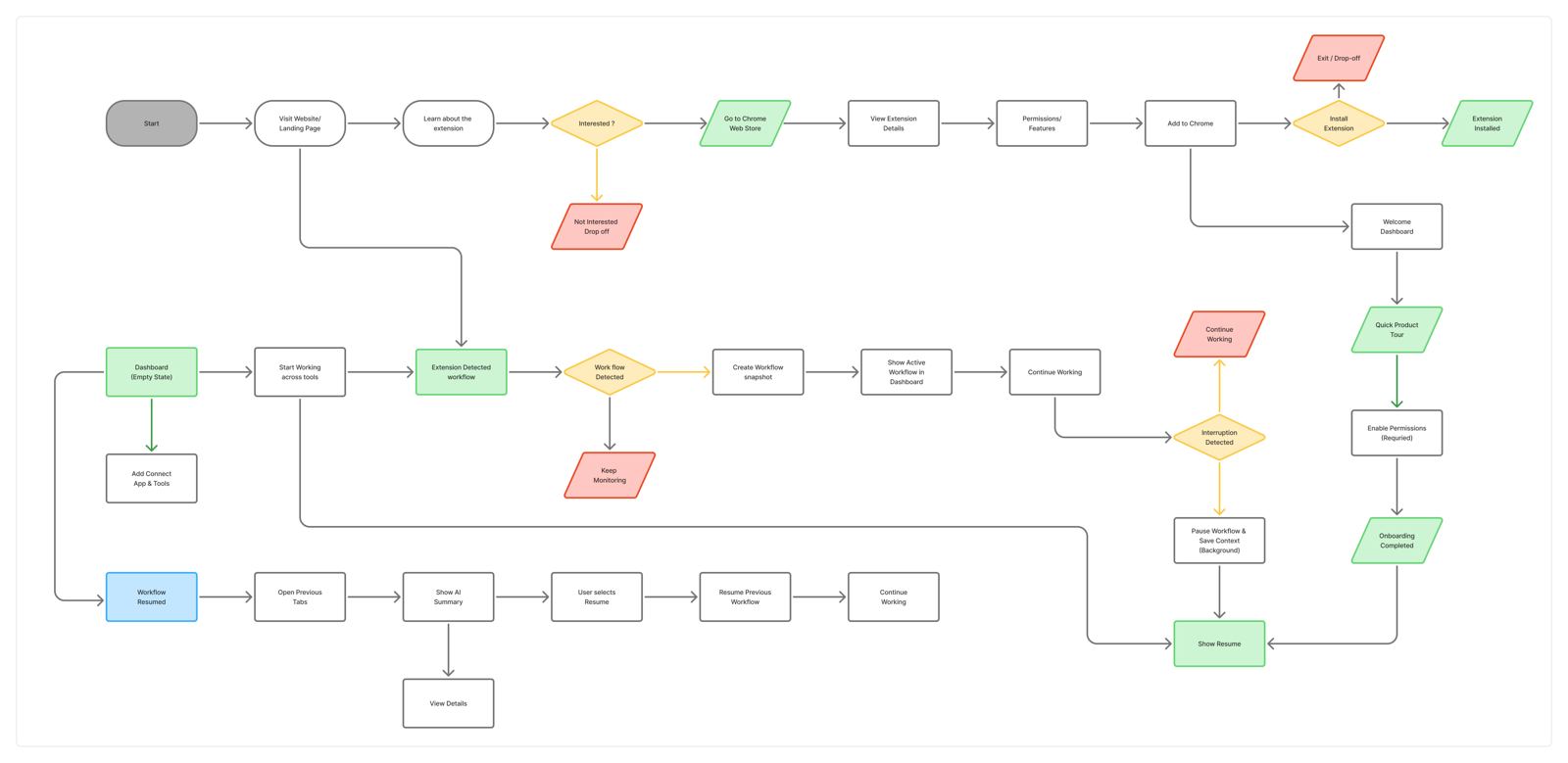
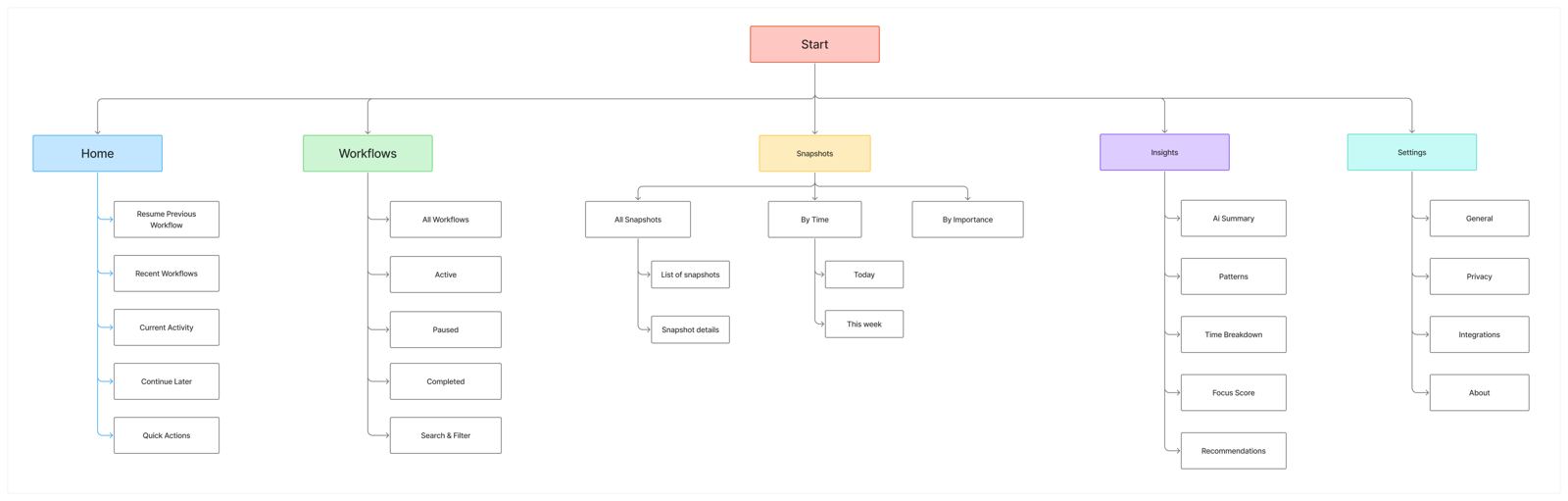
{06} — User flow & information architecture

Mapping how work is preserved and recovered

User Flow

CogniFlow user flow diagram

Information Architecture

CogniFlow information architecture diagram

Final output — the solution

An AI-powered Chrome extension for workflow recovery

The final output is a lightweight AI-powered Chrome extension prototype that detects workflow interruptions, preserves essential context, generates an AI recovery summary and restores the user's workflow so they can continue working with minimal cognitive effort.